
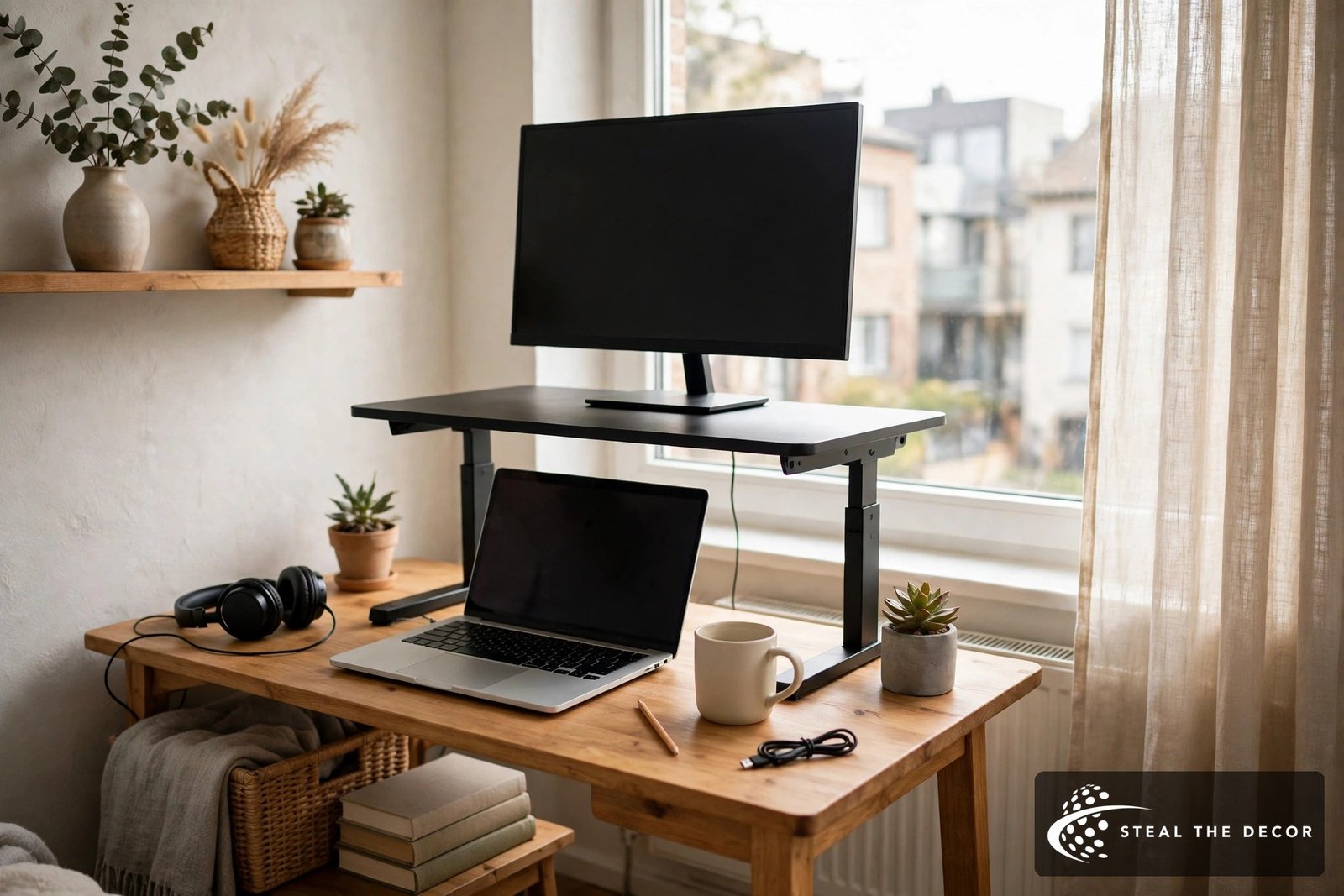
Some links in this guide may be affiliate links. If you buy through them, StealTheDecor may earn a small commission at no extra cost to you. We have not tested these converters hands-on; the picks are based on manufacturer specs, published reviews, and prices checked in October 2026.
It is 3 p.m. and your lower back has started sending complaints. You stand up, stretch, sit back down, and the desk is exactly where it was at 9 a.m. A full standing desk feels like a big spend for a room you might leave next lease. Your landlord’s furniture, or the flat-pack desk you built in an hour, is not going anywhere.
A standing desk converter is the obvious fix, and also the easiest one to get wrong. Most bad buys have nothing to do with brand or price. They happen because the converter does not fit the desk underneath it, the keyboard ends up at the wrong height, or the whole setup wobbles every time you type.
This guide shows you how to measure first, which lift type suits a small room, how to protect a rental desk, and which converters are worth a look for different setups. If you are still working out the basics of your workspace, our small desk setup ideas cover the rest of the room. Start with the short answer below, then use the measuring section before you add anything to a cart.
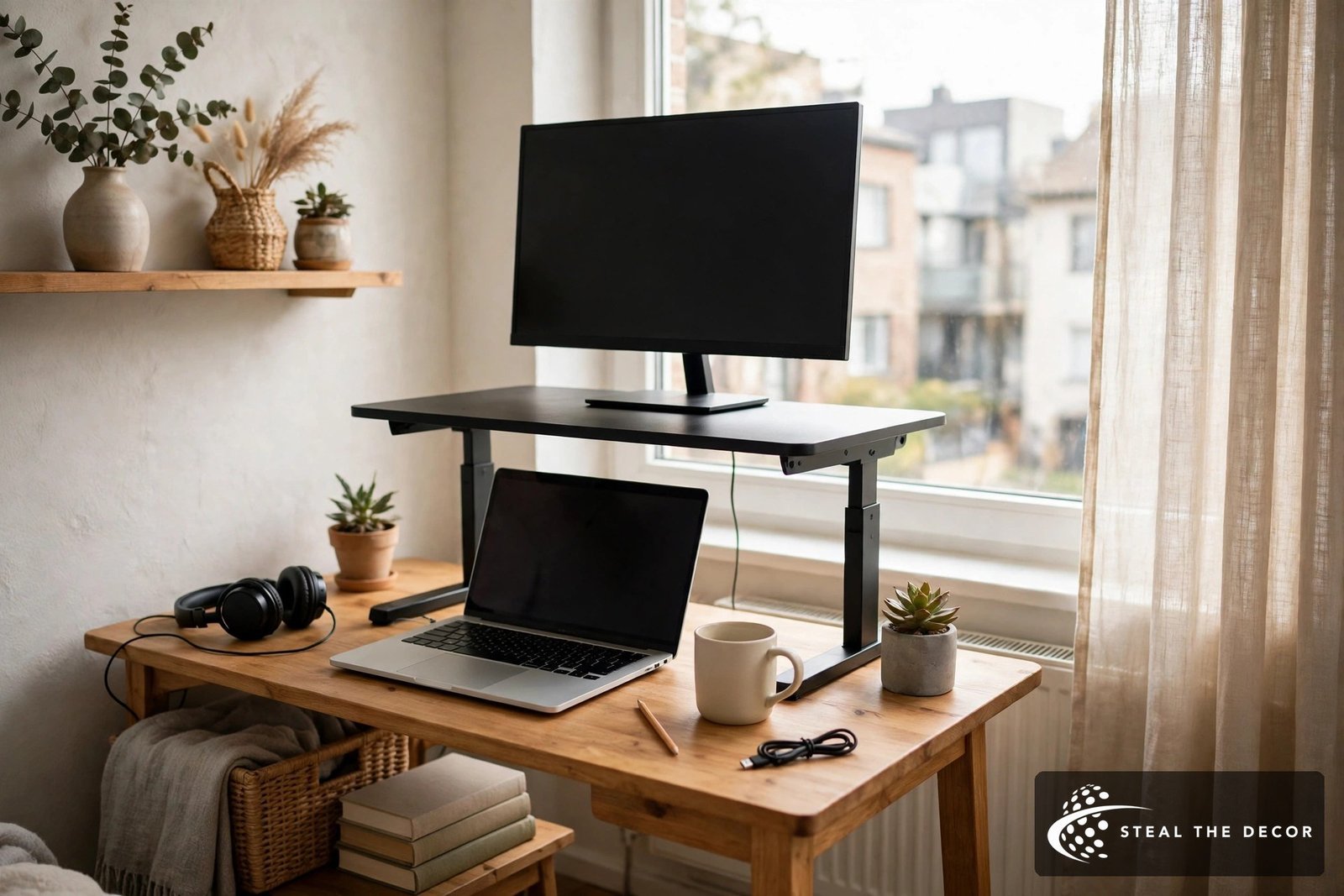
Quick Answer: Measure your desk depth, desk height, total equipment weight, and standing elbow height before you buy a standing desk converter. For shallow desks, choose a model that rises straight up, such as the FlexiSpot M7 or VIVO 32 inch K Series. For heavy dual-monitor setups, the electric VersaDesk PowerPro 36 is rated for 80 pounds.
- Small or shallow desk: pick a vertical X-lift converter that stays inside its own footprint.
- One or two monitors on a normal desk: a 32 to 36 inch two-tier model with a separate keyboard tray.
- Laptop only: a laptop riser plus an external keyboard and mouse.
- Heavy gear or limited hand strength: an electric converter with push-button control.
What Is a Standing Desk Converter and How Does It Work?
A standing desk converter is a platform that sits on top of your existing desk and lifts your screen and keyboard to standing height, then lowers them again when you want to sit. You may also see it called a desk riser, a sit stand desk converter, a stand up desk converter, or a tabletop standing desk converter. They all describe the same idea: you keep your current desk and add the height adjustment on top. That is the main appeal for renters, because nothing gets bolted, drilled, or swapped out.
Most manual models use a gas spring or a mechanical spring to do the heavy lifting. You squeeze a handle or lever, the spring takes most of the weight, and you guide the platform up or down. Some stop at fixed height settings, while others are “stepless” and can stop anywhere in their range. Electric models replace the spring with a small motor, so you press a button and wait.
This is also the plain answer to “how does a standing desk work.” A full standing desk raises the whole tabletop on motorized legs. A converter only raises the part you work on. That makes it cheaper and easier to move, but it also means your old desk still has to carry the load and stay steady.
Standing Desk Converter vs Standing Desk: What Costs Less and Fits a Rental Better?
A standing desk converter usually costs less than a full electric standing desk and needs no new furniture, which is why it suits most renters. A full desk wins when you want a large flat surface or a lower seated keyboard height. The right choice depends on your budget, your room, and how often you move.
Here is what prices looked like when we checked in October 2026. Budget converters such as the VIVO 32 inch K Series sit around $110 to $140 (TechRadar, Work While Walking). Mid-range models such as the Vari VariDesk Pro Plus 36 were listed at $419 on Vari’s site. Premium column and arm systems tested by BTOD ran from about $540 to over $1,000 (BTOD).
For the related question, “how much does a standing desk cost,” a full electric desk can start lower than many people expect. A price guide from April 2026 found an entry electric desk at $249, a mid-range desk at $549, and a larger mainstream desk at $799 (The Pricer). Prices change often, so treat all of these as estimates.
| Factor | Standing desk converter | Full standing desk |
|---|---|---|
| Typical price seen | About $110 to $450 | About $250 to $800 |
| Footprint | Uses part of your desk | Replaces your desk |
| Seated keyboard height | Often a little higher | Normal |
| Moving day | One box, carry it out | Disassemble a frame |
| Landlord’s furniture | Stays as is | Must be stored or replaced |
A converter makes the most sense if you love your current desk, cannot replace a furnished one, or want to test sit-stand work before spending more. If you already plan a bigger home office upgrade, our productive desk setup guide shows how a converter fits into a full workspace plan.
Measure First: Desk Size, Weight, and Elbow Height
The best standing desk converter is the one that fits your desk and your body, so measure before you shop. Four numbers decide almost everything: desk depth, desk height, total weight, and standing elbow height. Skipping this step is the most common reason converters get returned. It takes about ten minutes with a tape measure.

- Measure clear desk width and depth. Measure only the flat, open surface. Skip hutches, raised back edges, and rounded corners. The converter’s base has to sit fully on solid desktop.
- Measure desk height from the floor. Most desks sit between 28 and 30 inches. You will need this number for step 5.
- Add up the weight that moves. Include monitors with their stands, laptop, dock, speakers, and anything else on the top platform. Check the keyboard tray limit separately, because it is often much lower.
- Measure your standing elbow height. Stand in the shoes you work in, relax your shoulders, and bend your elbows to about 90 degrees. Measure from the floor to the underside of your forearm.
- Do the lift math. Standing elbow height minus desk height equals how high the keyboard surface needs to rise. Compare that number with the converter’s keyboard height, not just its top surface height.
- Check forward travel. Some converters arc toward you as they rise. Make sure your chair and body have room at full height.
The guidance behind steps 4 and 5 comes from workplace safety agencies. The Canadian Centre for Occupational Health and Safety says the standing work surface should sit at about standing elbow height, with the monitor at or slightly below eye level (CCOHS). OSHA’s computer workstation guide also places the top of the monitor at or just below eye level, with wrists in line with forearms (OSHA). A converter that cannot hit both targets will leave you hunching or shrugging.
Here is a worked example with round numbers. Say your desk is 29.5 inches tall and your standing elbow height is 42 inches. Your keyboard needs to rise about 12.5 inches above the desktop. A converter whose keyboard tray tops out at 14.5 inches, like the Victor DCX760, clears that with room to spare.
Depth matters just as much. The IKEA MICKE, a common renter desk, is 19 5/8 inches deep (IKEA). The Victor DCX760’s main surface is 23 inches deep (Victor spec sheet), so it would hang over the edge of that desk. A tape measure saves you a return shipping label.
Tips before you order
– Measure elbow height in the shoes you actually wear at your desk.
– Weigh monitors without their stands if you plan to add a monitor arm.
– Tape the converter’s footprint onto your desk with painter’s tape before you buy.
Your chair matters too, because the seated half of the day still needs the right height. Our guide to ergonomic office chairs covers seat height and lumbar support.
Z-Lift, X-Lift, or Electric: How Each Type Uses Your Space
The lift type decides how much room a converter takes up when it rises, which matters more in a small apartment than almost any other spec. There are four main designs. Each one trades space, effort, and price differently. Pick the one that matches your desk depth and how often you plan to switch positions.
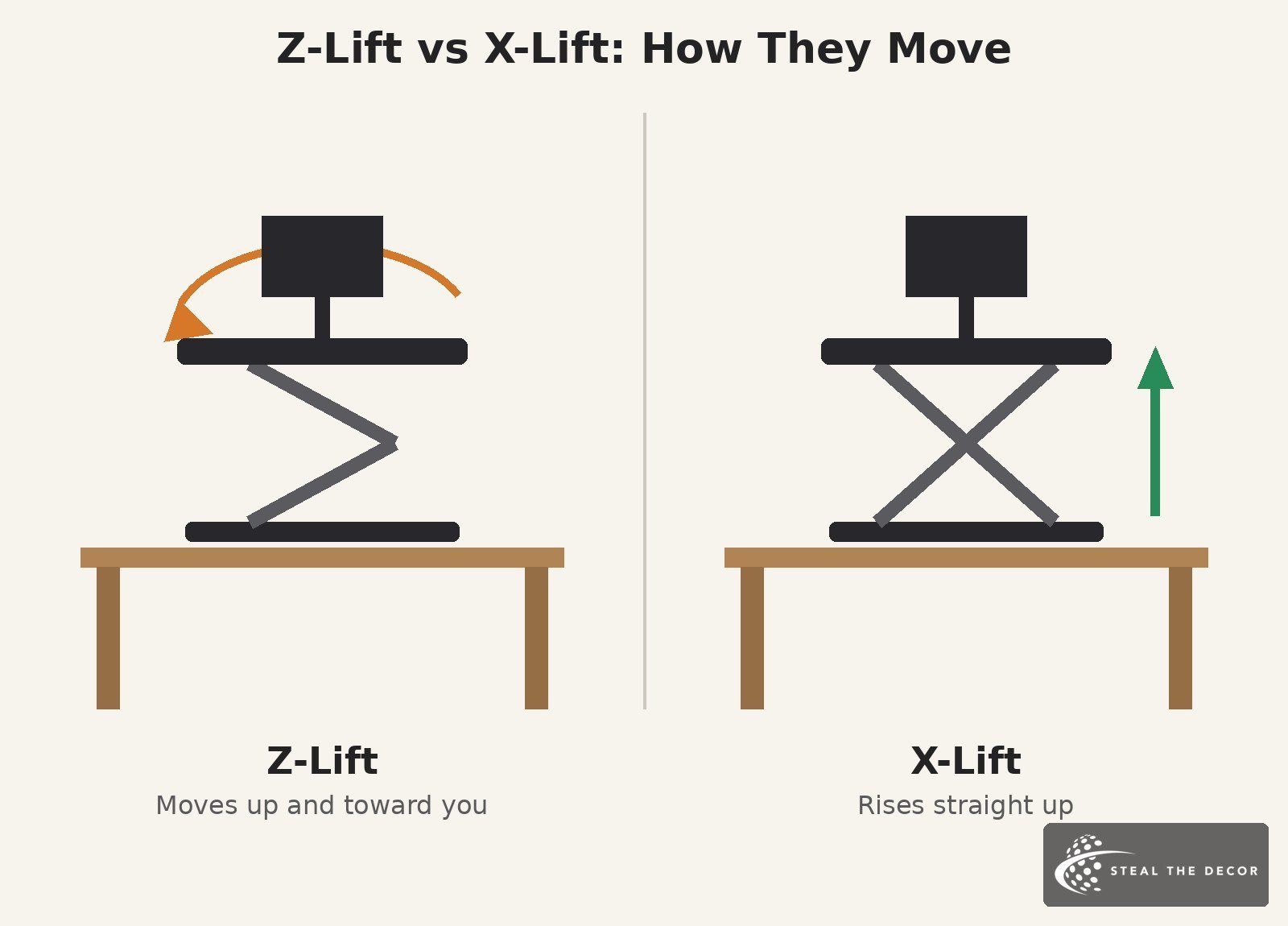
Z-lift. A Z-lift converter uses spring or gas assist and moves up and toward you in an arc. The Vari VariDesk Pro Plus 36 works this way, and Vari describes it as an up-and-back rowing motion (Vari). These models often come fully assembled and have a roomy keyboard tray. The trade-off is that you need open space in front of the desk and extra cable slack.
X-lift. An X-lift converter, sometimes called a scissor lift, rises straight up inside its own base. The FlexiSpot M7 series and the Victor DCX760 both lift vertically. This design suits shallow desks and tight rooms, because nothing extends into your chair space. Some X-lift models are a little less roomy on the keyboard tray.
Column with monitor arms. A post-and-tray design holds monitors on VESA arms and moves the keyboard separately. This gives you “dual ergonomics,” meaning screen height and keyboard height can be set independently. Many of these clamp or bolt to the desk, which is a concern on a rental desk. They also tend to cost more.
Electric. An electric converter uses a motor and a button. The VersaDesk PowerPro 36 rises vertically from 5 to 20 inches and is rated for 80 pounds (VersaDesk). The downside is a power cable, slower movement than a spring model, and a motor that could one day need service.
| Lift type | How it moves | Best desk size | Needs power | Renter note |
|---|---|---|---|---|
| Z-lift | Up and toward you | Deeper desks | No | Check chair clearance |
| X-lift | Straight up | Shallow desks | No | Stays in its footprint |
| Column + arms | Screens and tray move separately | Medium to large | Sometimes | Many clamp to the desk |
| Electric | Straight up, push button | Any sturdy desk | Yes | Heavier unit to move |
Keyboard Tray, Monitors, and Laptops: Getting the Setup Right
Most comfort problems with converters come from the keyboard tray, not the top surface. Check tray size and tray weight limit as carefully as the main platform. Then plan for your monitors and laptop separately. Small details here decide whether you actually use the standing position.
The Keyboard Tray
A wide keyboard tray should hold a full-size keyboard and a mouse side by side without crowding. Depth matters for wrist room, so a deeper tray is better if you use a wrist rest. Many trays have a much lower load limit than the top surface. The FlexiSpot M7 rates its top at 33 pounds but its removable keyboard tray at 4.4 pounds (Staples listing).
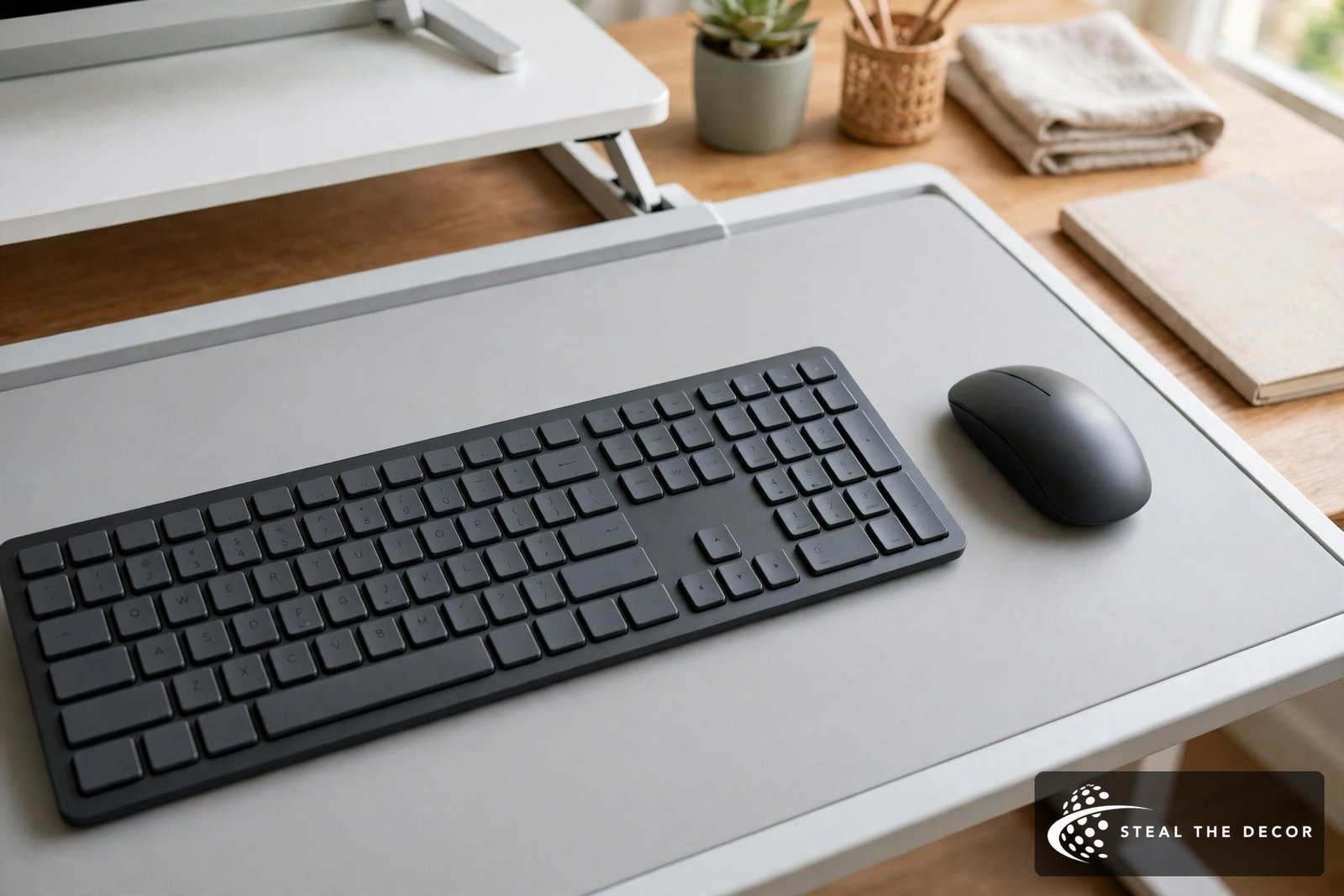
Check that the tray fits your keyboard and mouse together.
Also look at how thick the platform is when fully lowered. A thick tray can raise your seated keyboard height by an inch or more. If you are on the shorter side, or your chair is already high, measure the lowest keyboard position before you buy.
Two Monitors
A standing desk converter with dual monitor support needs enough width and enough weight capacity. Add both monitors with stands, then compare that total with the top platform rating. A 36 inch surface usually fits two 24 inch monitors, but check the listing for the model you choose. If your screens are heavy or you want them higher, a converter with a grommet hole for a monitor arm gives you more control.
Laptop Only
A laptop on a riser always puts either the screen or the keyboard at the wrong height. Raise the screen to eye level and use a separate keyboard and mouse on the tray or desk. For laptop-only work, a folding riser or laptop stand can be enough. TechRadar lists the MOFT Z laptop riser at a 22 pound limit with three height settings, which suits travel and light use but not a full monitor setup (TechRadar).
Renter Checklist: Using a Converter on a Rental or Furnished Desk
A freestanding standing desk converter is one of the most renter-friendly upgrades you can make, because it needs no drilling or wall hardware. Your desk surface still takes the weight and the friction, though. A few simple steps lower the risk of marks or damage. These matter most on landlord-owned or furnished desks.
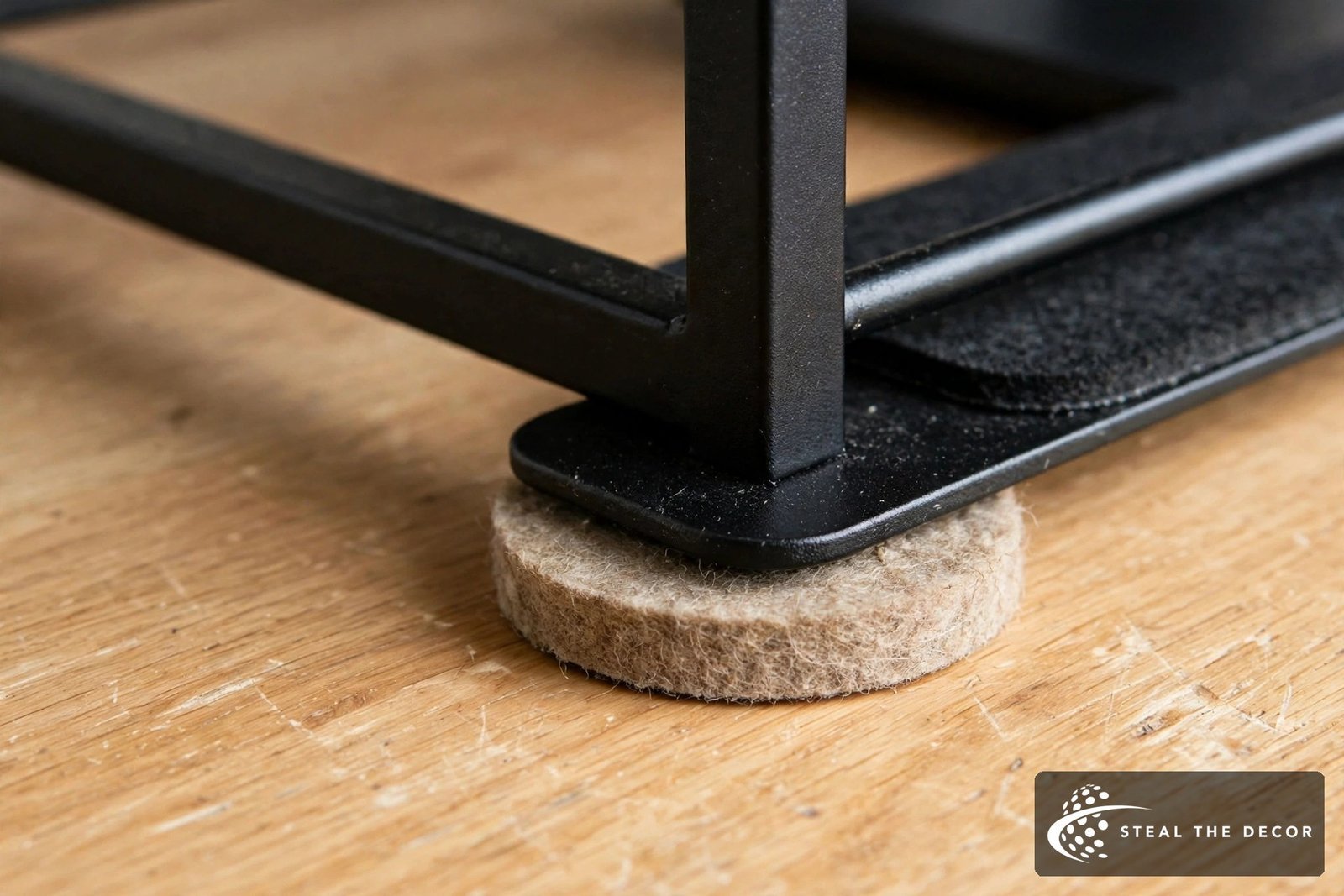
- Choose freestanding over clamp-on. Freestanding models simply sit on the desk. Clamp and bolt-through designs press into the desk edge and can dent laminate or particleboard. Every model in our shortlist below sits freestanding.
- Protect the surface. Rubber feet help, and FlexiSpot says its M7 base and tray have protective rubber pads. A desk mat or felt pads under the base add another layer. Our guide to desk mats for renters compares options that grip when the desk moves.
- Check desk strength. Add the converter’s own weight to your equipment weight. Some converters are heavy on their own, such as the Victor DCX760 at 49 pounds. Compare the total with the desk maker’s stated load limit.
- Watch flat-pack desks. Light desks can flex under a loaded converter. In my minimalist desk setup build, a desktop converter on an IKEA MICKE made the desk flex, which is why a separate standing frame was the better plan there.
- Avoid glass, folding, or curved tops. Check the converter’s manual for surface restrictions before using it on these.
- Ask first on furnished rentals. If the desk belongs to your landlord, ask before adding anything heavy and take photos of the desk before setup.
None of these steps can promise a damage-free result. Surface condition, the product’s instructions, your lease terms, and landlord approval all play a part. For more ways to upgrade without risking your deposit, see how to decorate a rental without damage.
Small Desks, Corner Desks, and the Kitchen Table
On a small desk, footprint matters more than features. A 32 inch desk converter or smaller usually fits better than a 36 inch model on a desk around 40 inches wide. X-lift models are the safer pick because they do not push forward into your space. Always confirm with your own measurements rather than a size rule.
Corner and L-shaped desks are harder to fit, because the back edge is often out of reach and the surface is not a simple rectangle. Corner-shaped converters exist from brands such as VersaDesk and FlexiSpot, and they are worth a look if your desk has a deep corner. Another option is to place a standard converter on one side of an L-shaped desk and keep the other side as a normal sitting desk.
If you work from a kitchen table, a compact standing desk converter can turn it into a temporary home office desk. Pick a lighter model you can lift off at dinnertime, and keep a mat underneath to protect the table. If you need extra storage near a small desk, clamp-on or rolling under desk drawer storage keeps supplies close without taking up converter space.
Standing Desk Converters Worth a Look, Sorted by Need
These picks are based on manufacturer specs, published reviews, and prices checked on 21 October 2026. StealTheDecor has not tested them hands-on. Prices change often, so check the current listing before you buy. Each one sits freestanding on the desk, with no clamps or drilling.
| Converter | Best for | Lift type | Width | Load (top / tray) | Price seen, Oct 2026 |
|---|---|---|---|---|---|
| VIVO 32 inch K Series (DESK-V000K) | Tight budget | X-lift | 31.5 in | 33 lb total | About $110 to $140 |
| FlexiSpot M7 36 inch | Shallow desks, value | X-lift | 36 in | 33 lb / 4.4 lb | About $200 |
| Vari VariDesk Pro Plus 36 | No assembly | Z-lift | 36 in | 35 lb total | $419 (Vari) |
| Victor DCX760G | Big keyboard tray | Vertical | 36 in | 33 lb / 4.4 lb | $270 to $300 |
| VersaDesk PowerPro 36 | Heavy setups | Electric | 36 in | 80 lb total | About $315 to $470 |
| Ergotron WorkFit-Z Mini | Very small desks | X-lift | About 31 in | 25 lb total | About $350 to $410 |
VIVO 32 inch K Series (DESK-V000K)
The VIVO 32 inch K Series is the budget pick for a first standing desk converter. It has a 31.5 by 15.7 inch surface, a 31.3 by 11.8 inch keyboard tray, a 33 pound capacity, and a 3-year warranty (Work While Walking). TechRadar praised its stability for the price but noted a shallow keyboard tray and no cable management (TechRadar). Skip it if you need a deep tray for a wrist rest.
FlexiSpot M7 36 inch
The FlexiSpot M7 rises straight up on a double-X frame, so it suits shallow rental desks. FlexiSpot lists a 4.7 to 19.7 inch height range, a 36 by 19.7 inch top rated for 33 pounds, and a removable 34.6 by 12.1 inch tray rated for 4.4 pounds (Staples listing). The low tray limit is the catch, so keep heavy items off it. Confirm the exact model number before checkout, since FlexiSpot sells several M7 variants.
Vari VariDesk Pro Plus 36
The Vari VariDesk Pro Plus 36 ships fully assembled and offers 11 height settings from 4.5 to 17.5 inches (Vari). Retail listings rate it at 35 pounds. Its Z-lift moves up and toward you, so it needs a deeper desk and room behind your chair. It also uses two handles, which some people find awkward. Skip it on a shallow desk or if you want stepless height control.
Victor DCX760G
The Victor DCX760G rises straight up and sits on the desk without clamps. Victor lists a 36 by 23 inch surface that reaches 20 inches, a 35 by 14 inch keyboard tray that reaches 14.5 inches, 33 pounds on top, 4.4 pounds on the tray, and a 3-year limited warranty (Victor spec sheet). BTOD named it their best budget pick for stability (BTOD). At 49 pounds and 23 inches deep, it is too large for small desks.
VersaDesk PowerPro 36
The VersaDesk PowerPro 36 is the electric pick for heavy gear. VersaDesk lists push-button vertical lift from 5 to 20 inches, an 80 pound capacity, a 36 inch wide keyboard tray set 4 inches below the surface, and a lifetime warranty (VersaDesk). Its overall footprint is 36 by 24 inches. It needs an outlet and moves more slowly than a spring model.
Ergotron WorkFit-Z Mini
The Ergotron WorkFit-Z Mini is built for very small desks with one monitor or a laptop. Ergotron lists 12.5 inches of stepless lift, a 25 pound limit, and a 2-year warranty (Ergotron spec sheet). Work While Walking notes it is designed for screens up to 24 inches (Work While Walking). It is expensive for its size, so skip it if your desk can fit a larger model.
Which type fits you?
– Desk under 24 inches deep? Look at the FlexiSpot M7 or Ergotron WorkFit-Z Mini.
– Two monitors and a full keyboard? Look at the Victor DCX760G or Vari VariDesk Pro Plus 36.
– Laptop only? Use a laptop riser and an external keyboard.
– Heavy screens or you want a button? Look at the VersaDesk PowerPro 36.
Living With It: How Long to Stand, Mats, Cables, and Lifespan
A standing desk converter works best when you switch positions through the day, not when you stand for hours. CCOHS notes that recommendations range from sitting an hour and standing five minutes, to switching every 20 to 60 minutes (CCOHS). The same source says early studies found many users drift back to sitting most of the time. Building a simple routine, such as standing for calls, helps the habit stick.
Comfort while standing matters too. CCOHS suggests supportive footwear, an anti-fatigue mat where appropriate, and shifting your weight or using a footrest. It also warns that cables and layout should not make adjusting the desk difficult. Leave enough slack for the full lift, and see our cable management ideas for your desk for options that move with the platform.
How long do standing desk converters last? No maker publishes a lifespan in years, so the warranty is the most concrete signal. Warranties among the models above range from 2 years (Ergotron WorkFit-Z Mini) to 3 years (VIVO, Victor) to lifetime (VersaDesk PowerPro). Staying under the weight limit and keeping the lift clean will help any model last longer.
Common Mistakes With Standing Desk Converters
- Buying before measuring. Measure desk depth and elbow height first, or the converter may overhang or sit at the wrong height.
- Ignoring the keyboard tray limit. Keep heavy items on the top platform, because some trays are rated for under 5 pounds.
- Overloading at full height. Stay under the weight rating with margin to spare, especially when adding a monitor arm.
- Skipping cable slack. Raise the converter fully before tying cables down, so nothing pulls loose.
- Standing all day from day one. Start with short standing blocks and alternate positions.
- Typing on a raised laptop. Use an external keyboard so your wrists stay level.
- Clamping a landlord’s desk without asking. Choose a freestanding model or get permission first.
FAQ
How much does a standing desk converter cost?
A standing desk converter costs about $110 to $450 for most home models, based on prices checked in October 2026. Budget picks such as the VIVO 32 inch K Series sit near the low end, while electric models such as the VersaDesk PowerPro 36 cost more. Premium column systems can pass $1,000. Prices change often.
How does a standing desk converter work?
A standing desk converter sits on top of your existing desk and lifts your monitor and keyboard to standing height. Manual models use a gas spring or mechanical spring that you release with a handle. Electric models use a motor and a button. You lower it again when you want to sit.
How high should a standing desk converter go?
A standing desk converter should lift the keyboard to about your standing elbow height, according to CCOHS. To find the lift you need, subtract your desk height from your standing elbow height. Check the keyboard tray height, not only the top surface, because the tray usually sits several inches lower.
Can I put a standing desk converter on an IKEA or flat-pack desk?
You can put a standing desk converter on an IKEA or flat-pack desk if the desk is deep enough and strong enough. The IKEA MICKE, for example, is only 19 5/8 inches deep, which rules out larger converters. Light desks can also flex under load, so check the desk’s weight limit first.
Will a clamp-on converter damage a rental desk?
A clamp-on converter can dent or mark a rental desk, especially on laminate or particleboard edges. A freestanding standing desk converter avoids clamps entirely, which makes it the safer choice for most renters. If you must use a clamp, pad the jaws and ask your landlord first if the desk is theirs.
Is an electric standing desk converter worth it?
An electric standing desk converter is worth it if your setup is heavy or you find manual lifting hard. The VersaDesk PowerPro 36, for example, is rated for 80 pounds, while many manual models stop at about 33 to 35 pounds. Electric models need an outlet and usually move more slowly.
How long do standing desk converters last?
Standing desk converter makers do not publish a lifespan in years, so the warranty is the best guide. Warranties on the models in this guide range from 2 years to lifetime. Staying under the weight limit, keeping the lift mechanism clean, and avoiding leaning on the keyboard tray help any converter last longer.
Key Takeaways
- Measure desk depth, desk height, equipment weight, and standing elbow height before buying any standing desk converter.
- X-lift converters such as the FlexiSpot M7 rise straight up and suit shallow rental desks better than Z-lift models.
- Check the keyboard tray weight limit separately, because trays like the FlexiSpot M7’s are rated at only 4.4 pounds.
- Freestanding converters avoid the clamp marks that clamp-mounted models can leave on a landlord’s desk.
- CCOHS recommends a standing work surface at about elbow height and regular switching between sitting and standing.
- Warranty length, from 2 years to lifetime among the models here, is the clearest sign of expected durability.
Pick the Converter That Fits the Desk You Already Have
The right standing desk converter starts with your desk, not the product page. Measure the depth, the height, and your elbow height, then choose the lift type that suits your room. A vertical X-lift is usually the safest bet for a small rental desk, while electric models make sense for heavy setups. Protect the surface, ask before you add weight to a landlord’s furniture, and build a simple routine for switching positions.
Which desk are you working with right now: a flat-pack desk, a furnished rental desk, or the kitchen table? Grab a tape measure tonight, write down those four numbers, and shortlist two models that match them.
