
Table of Contents
Affiliate disclosure: Some of the product links on StealTheDecor are affiliate links, which means I may earn a small commission if you buy through one at no extra cost to you. I only name products I have set up and used in my own rental.
Three power bricks sat on the carpet under my window. A laptop balanced on a stack of library books. One HDMI cable ran across the floor to a monitor propped on a shoebox and every morning started by moving something before any work happened. That was the corner of my one-bedroom rental in Denver and after eight months of it a minimalist desk setup stopped being an aesthetic goal and became a survival plan for a small apartment.
The lease was clear. No drilling no anchors no paint and any mark on the wall came out of the deposit. Over three weekends I tested seven approaches to a clean desk setup from a floating shelf that failed in under a day to a cable system that has held since last spring. Total spend landed under $300 and I kept every receipt.
Here is what worked what fell down and what a landlord walkthrough never flagged.
The Short Version: A minimalist desk setup for renters means one small desk a raised screen at eye level a single wireless keyboard and mouse and every cable routed off the floor with adhesive clips. The core build runs roughly $180 to $320 using an IKEA Micke desk a Rain Design mStand Logitech MX Keys Mini and Command Cord Clips by 3M. Nothing in that build needs a drill and all of it removes cleanly from painted drywall.
What a Minimalist Desk Setup Actually Is
A minimalist desk setup is a workspace built from the smallest number of items that still lets you work comfortably with every remaining item given a fixed home. It is not an empty desk. A working minimalist workspace holds a screen an input device a light and one clear surface.
For renters that carries extra weight. You work inside a space you cannot modify often a bedroom corner or a living room nook with one outlet. Every object has to earn its footprint twice once for how useful it is and once for how much of a tiny floor plan it eats.
The look people picture when they search for a minimalist desk aesthetic comes from Scandinavian desk style. Light wood off-white surfaces a neutral color desk setup and visible space around each object. A minimal desk setup reads luxury without the price because it depends on restraint rather than expensive furniture.
There is a productivity angle too. A well-organized office desk setup removes the small decisions that eat the first hour of a work from home day since nothing has to be moved before you start.
Bottom line: a clutter-free desk setup is a decision about what you remove not a shopping list.
Does a Minimalist Desk Setup Work in a Rental?
Yes a minimalist desk setup works in a rental and it works better than a maximal one because fewer items means fewer things mounted to walls you do not own. The whole build sits on the floor and the desk with zero fasteners.
Where it holds up: freestanding desks monitor risers plug-in desk lamps and adhesive cable clips leave nothing behind. I stripped my whole workstation for a lease renewal inspection in twenty minutes and the walls looked untouched.
Where it breaks: anything that mounts a heavy object overhead. My first attempt used a floating shelf on adhesive strips above the desk loaded with a speaker and two books. It came down at 6 a.m. and took a thumbnail of paint with it.
Textured walls change the math. Adhesive bonds only to the peaks of an orange peel texture the bumpy sprayed finish on a lot of apartment drywall so holding power drops below the rating on the box. Anything adhesive on textured drywall should carry light objects only and cables count as light.
Bottom line: keep weight on the floor and the desk keep adhesives for cords and a rental setup holds fine.
7 Minimalist Desk Setup Ideas That Survived My Rental
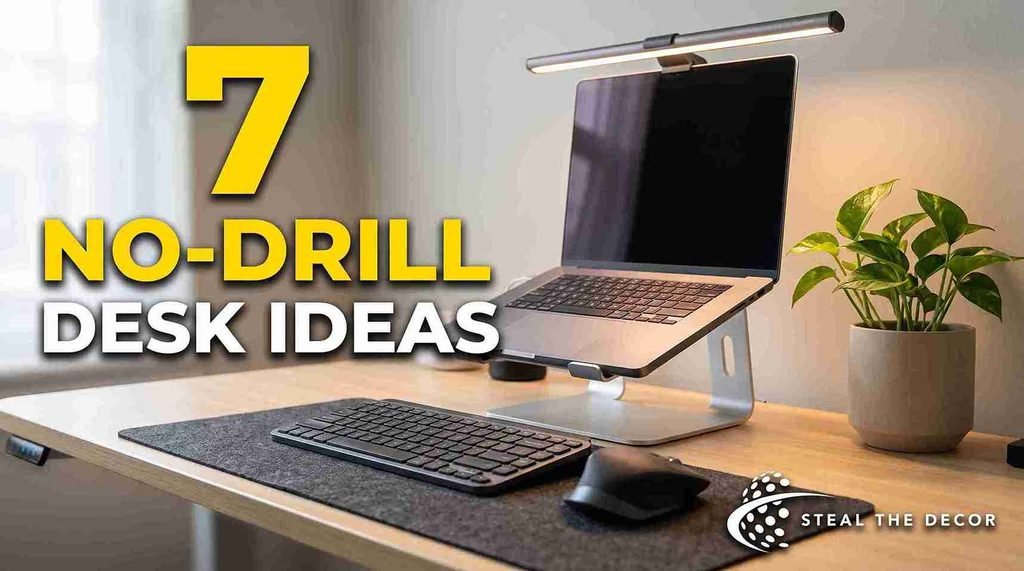
These are the seven desk setup ideas I tested ranked by how much they changed daily use. Prices move so each range is what I saw at the time I bought.
- Start with a desk that has no storage. The IKEA Micke desk (typically $99 to $149) has one shallow drawer and nothing else and that limit is the point. A desk full of drawers hides clutter instead of removing it. For a warmer wooden minimalist desk look a white oak or bamboo top on IKEA legs sits in the same price band.
- Raise the screen to eye level with a riser not a wall mount. The Rain Design mStand (typically $50 to $65) lifts a MacBook Pro to monitor height and clears about 5 inches of desk for a keyboard. OSHA guidance on computer workstations puts the top of the screen at or slightly below eye level and a riser hits that without a hole. A plain monitor stand does the same for a desktop pc or a gaming rig and two identical risers beat one wide stand for a dual monitor minimalist look.
- Switch to one small wireless keyboard and one mouse. The Logitech MX Keys Mini (typically $80 to $100) drops the number pad and takes about 4 inches less width than a full keyboard which matters on a small desk setup minimalist build. It is portable enough to move to a kitchen table and pairing it with a Logitech MX Master loses two cables at once.
- Use one large desk mat to define the working zone. A felt or vegan leather desk mat costs around $25 to $45 and quietly changes your habits since anything outside the mat starts to feel like it does not belong. My Grifiti desk mat in gray felt has taken two coffee spills without staining. A leather blotter or a slim desk pad works the same way if you write by hand and it is the only one of the usual desk accessories I kept.
- Add one dimmable desk lamp instead of overhead light. Most apartment ceiling fixtures throw flat harsh light. A BenQ ScreenBar clips to a monitor (typically $99 to $129) and lights the desk without glare or a plug-in wooden desk lamp does the same for $30 to $50. Dimmable matters more than brightness and stick-on led lights behind a screen or under a desk shelf add depth for about $15.
- Give small items one tray and stop there. A shallow wood or felt tray around $15 to $30 holds a pen a pencil an iPhone and nothing else. That is the whole of simple desk organization for me now. When the tray fills something leaves.
- Bring in one plant and one soft texture. A small pothos in a neutral pot and a linen or wool element near the desk keeps a zen desk workspace from reading cold. If floor space is gone a hanging plant is the move and this write-up on how to hang plants without drilling covers the options that hold.
One caveat. If the wall behind the desk is flat beige no amount of styling fixes the photo. A removable treatment back there does more for the look than any accessory and these rental-friendly accent wall ideas all come off at move-out.
Bottom line: the riser and the single keyboard changed my comfort most and the tray rule kept the desk clean after week three.
Pro Tips for Renters:
- Wipe the surface with isopropyl alcohol before any adhesive clip goes down since dust is why most cord clips fall off in week one.
- Run the power strip up the back leg of the desk with two clips instead of leaving it on the floor. That hides the worst of the cable spaghetti.
- Buy the monitor riser before a new desk. Raising the screen fixes neck strain and many people replace a desk when height was the real problem.
- Keep one empty tray slot on purpose. A setup with zero slack collapses the first busy week.
- Photograph the wall and baseboard behind your desk on move-in day. That photo settles any deposit argument later.
How to Build a Minimalist Desk Setup Without Damaging Your Rental
Build the setup in this order and nothing needs to be mounted twice.
1. Empty the desk completely. Take every item off and set it on the floor. Then put back only what you touched in the last seven days. Common mistake: sorting keep and toss piles while they sit on the desk which ends with the same clutter rearranged.
2. Place the desk against a wall with the outlet in reach. Stay within about 6 feet of the outlet so no extension cord crosses walking space. Common mistake: picking the prettiest wall first and finding the only outlet behind a bookcase.
3. Set screen height before anything else. Sit down look straight ahead and put the top of the screen at or just below that line using the riser. Common mistake: setting height while standing which lands the screen too high once you sit.
4. Position the keyboard and mouse so elbows stay near 90 degrees. Mayo Clinic office ergonomics advice puts forearms roughly parallel to the floor with wrists straight. If the desk sits too high raise the chair and add a footrest. Common mistake: clamping a keyboard tray to a thin rental desk which can split the laminate edge.
5. Bundle the cables before you stick anything down. Gather each cable run with Velcro cable ties leaving about 2 inches of slack at each end. If a laptop needs more than two things plugged in one dock such as the CalDigit TS4 turns several cables into a single USB-C run and a small charging station keeps every charger in one spot instead of three outlets. Common mistake: tying cables tight which strains the port and kills the cable.
6. Route the bundle with adhesive clips along the desk underside not the wall. Clean the surface with isopropyl alcohol press each Command Cord Clip by 3M for 30 seconds and wait one hour before loading weight. 3M product documentation for its Command line published in 2025 lists that 30 second press and one hour cure for full holding strength on smooth clean surfaces. Common mistake: sticking clips to painted drywall above the desk.
7. Add the lamp and the one tray last. Put the lamp opposite your writing hand so the shadow falls away from your work. Common mistake: adding decor before living with the setup for a full work day.
Bottom line: height first cables second decor last and the build holds without a single hole in the wall.
Common Mistakes Renters Make With a Minimalist Workspace
Here is what trips most people up including me.
Mounting a shelf above the desk with adhesive strips. This is the failure I owned up to earlier and it is common in small rentals because vertical space looks free. Adhesive strips are rated for flat art on smooth walls not a loaded shelf. Put the shelf on the desk instead.
Buying storage before removing items. A new drawer unit solves nothing since the clutter moves indoors. Remove first measure what is left then buy storage sized to that amount.
Leaving the power strip on the floor. Floor-level desk cable management is the biggest reason a clean office setup still photographs badly and it collects dust fast. Lift the strip to the desk underside with adhesive clips or drop it into a cable management tray that screws to the desk itself rather than to a wall.
Choosing a desk that is too deep. A 30 inch deep desk in a 10 foot bedroom swallows walking space. A depth of 20 to 24 inches handles a laptop a riser and a keyboard without crowding the room.
Going all-white and calling it minimalism. A white desk setup with no texture reads cold and shows every crumb. One warm element a wood surface or a felt mat or a plant fixes it.
Ignoring the floor under the desk. Bare rental carpet in a bad color drags the corner down. A flat low-pile rug fixes it and the method in this walk-through of putting an area rug over carpet keeps it from bunching under a chair.
Bottom line: remove before you buy keep weight off the walls and get the cords off the floor.

Renter-Safe Desk Products I Actually Use
Every item below sat on my desk for at least four weeks. No wall fasteners and no drilling. Prices move so treat these as ranges.
IKEA Micke desk. A compact laminate desk with one shallow drawer about 41 inches wide. Pros: cheap light to move no storage to fill. Cons: the laminate edge chips if you clamp to it. Damage risk: none.
Rain Design mStand. A one-piece aluminum laptop stand that lifts a MacBook Pro to screen height. Pros: stable no assembly frees desk space. Cons: fixed height. Damage risk: none.
Logitech MX Keys Mini. A low-profile wireless keyboard without a number pad. Pros: saves about 4 inches of width backlit pairs to three devices. Cons: no number pad for spreadsheet work. Damage risk: none.
Command Cord Clips by 3M. Small adhesive clips for routing cables under a desk or along a leg. Pros: pull off with a stretch tab cheap. Cons: holding power drops on textured or dusty surfaces. Damage risk: minor residue.
BenQ ScreenBar. A monitor-mounted light bar held by a counterweight no wall fixture needed. Pros: dimmable no screen glare USB powered. Cons: the clip suits flat-top monitors better than curved. Damage risk: none.
Velcro cable ties. Reusable fabric ties for bundling cables. Pros: reusable no strain on ports. Cons: bulkier than zip ties. Damage risk: none.
| Product / Method | Price Range | Ease of Use (1-5) | Damage Risk | Best For | Our Rating |
| IKEA Micke desk | $99 to $149 | 4/5 | None | A first minimalist home office desk in a small room | 4/5 |
| Rain Design mStand | $50 to $65 | 5/5 | None | Getting a laptop screen to eye level | 5/5 |
| Logitech MX Keys Mini | $80 to $100 | 5/5 | None | Saving desk width on a narrow surface | 5/5 |
| Command Cord Clips by 3M | $6 to $12 | 4/5 | Minor residue | Desk cable management with no drilling | 4/5 |
| BenQ ScreenBar | $99 to $129 | 4/5 | None | Desk lighting with no ceiling fixture | 4/5 |
| Velcro cable ties | $8 to $15 | 5/5 | None | Bundling cables without port strain | 5/5 |
Table note for the editor: keep this table horizontally scrollable on mobile so no column gets cut off.
Bottom line: the riser and the cable clips do the most work for the least money in this list.
What to Check With Your Landlord First
Ask before you build not after. Most of these get a yes in writing within a day and written permission is what protects your deposit.
- Confirm whether adhesive products are allowed on painted walls and get the answer by email.
- Ask whether the walls are smooth or textured since the building manager usually knows the finish.
- Check if the unit was painted flat or matte which lifts more easily than eggshell or satin.
- Ask whether the outlets can carry a power strip especially in older buildings.
- Confirm that moving a closet shelf is allowed if the desk goes in a closet office.
- Ask what counts as normal wear at move-out in that building.
- Request a copy of your move-in condition report.
For lease language where you live the tenant rights resources at Nolo cover state by state differences in what a landlord can deduct for.
Bottom line: a short email now is cheaper than a deposit deduction later.
Real Results: What I Spent and What Failed
Total cost for my finished workspace came to $287.41 across three weekends: $129 for the desk $59 for the mStand $79 for a refurbished MX Keys Mini $9.41 for Command Cord Clips by 3M and $11 for Velcro cable ties. The lamp was already mine so add $30 to $130 if you need one.
The failures cost another $34. The adhesive floating shelf came down overnight and took a chip of paint touched up with a $6 sample pot matched at a hardware store. A cheap riser with a hollow plastic base flexed every time I typed and went back.
What my landlord noticed at the next inspection: nothing. The clips came off the desk underside in about a minute each and the walls stayed untouched because nothing was mounted to them.
One honest limit. This build does not solve a standing desk need. A desktop converter on the Micke made the desk flex so if standing matters budget for an adjustable Flexispot or Uplift frame instead and treat it as a separate project.
Bottom line: under $300 got a workspace I still use daily and the only thing that cost me money was the one item I hung on a wall.
One question before the FAQ. What is on your desk right now that you have not touched in a month? Take it off tonight and see how the surface feels tomorrow.
FAQ: Minimalist Desk Questions Renters Ask
What makes a desk setup minimalist?
A desk setup is minimalist when it holds only the items used daily with every remaining item assigned a fixed spot. That usually means one screen at eye level one keyboard one mouse one light and one tray. Visible cables and duplicate tools are what break the look most often.
How do I set up a minimalist workspace in a small apartment?
Pick a desk 20 to 24 inches deep place it within 6 feet of an outlet raise the screen on a riser rather than a wall mount and route every cable under the desk with adhesive clips. A single large desk mat defines the working zone and keeps the surface clear without extra organizers.
Is a minimalist desk setup safe for a rental?
A minimalist desk setup is safe for a rental as long as the weight stays on the floor and the desk. Freestanding desks monitor risers plug-in lamps and cable clips leave no holes. Wall-mounted shelves and monitor arms are the parts that risk paint damage and deposit deductions.
Do adhesive cable clips leave damage or residue?
Command Cord Clips by 3M remove cleanly from smooth painted surfaces when you pull the stretch tab slowly and straight down though a light residue can stay on laminate. On textured or freshly painted walls the risk of lifting paint rises so under the desk is the safer place for them.
How much does a minimalist home office desk cost?
A full renter-safe build runs roughly $180 to $320. My own came to $287.41 including an IKEA Micke desk a Rain Design mStand a refurbished Logitech MX Keys Mini Command Cord Clips by 3M and Velcro cable ties. Reusing a desk or lamp you already own drops that figure well under $150.
What is the best brand for a minimalist desk setup?
No single brand covers a whole build well. IKEA is the value pick for the desk Rain Design for the laptop riser Logitech for a compact wireless keyboard and mouse and 3M Command for cable routing. Buying the best single item per category beats buying one brand across the board.
What do I do if an adhesive product fails and marks the wall?
Stop using adhesives on that wall right away since a failure usually means the paint or texture will not hold them. Take a photo then match a sample pot of paint at a hardware store and touch up the spot. Most renters find a same-day touch-up ends the issue before any inspection.
Key Takeaways
- A minimalist desk setup for a renter means one small desk one raised screen one keyboard and mouse one light and one tray with all cables routed off the floor.
- The IKEA Micke desk the Rain Design mStand and the Logitech MX Keys Mini form a renter-safe core build costing roughly $230 to $310 with no drilling.
- Command Cord Clips by 3M need a 30 second press and a one hour cure for full holding strength on clean smooth surfaces according to 3M product documentation published in 2025.
- Wall-mounted shelves and monitor arms carry the highest damage risk in a rental workspace since adhesive strips are rated for flat art rather than loaded weight.
- OSHA computer workstation guidance places the top of a screen at or slightly below eye level which a laptop riser achieves without any wall fastener.
- A desk depth of 20 to 24 inches suits small apartment rooms better than a 30 inch desk which crowds a bedroom under 10 feet wide.
- One tested minimalist workspace cost $287.41 in total and passed a landlord inspection with no repairs beyond a $6 paint touch-up.
Wrapping Up
Getting the desk corner right changed my workday more than any app ever did and it came down to two moves. Raise the screen and get the cables off the floor. Everything after that was subtraction.
Have you tried building a clean workspace in a rental? What held and what came off the wall at 2 a.m.? The failures are usually more useful than the wins.
If the wall behind your desk is still the beige box the landlord handed you that is the next thing worth fixing and the removable options in this walk-through of large-scale wall art for apartments do more for that corner than another accessory will. You are allowed to love a place you do not own.