
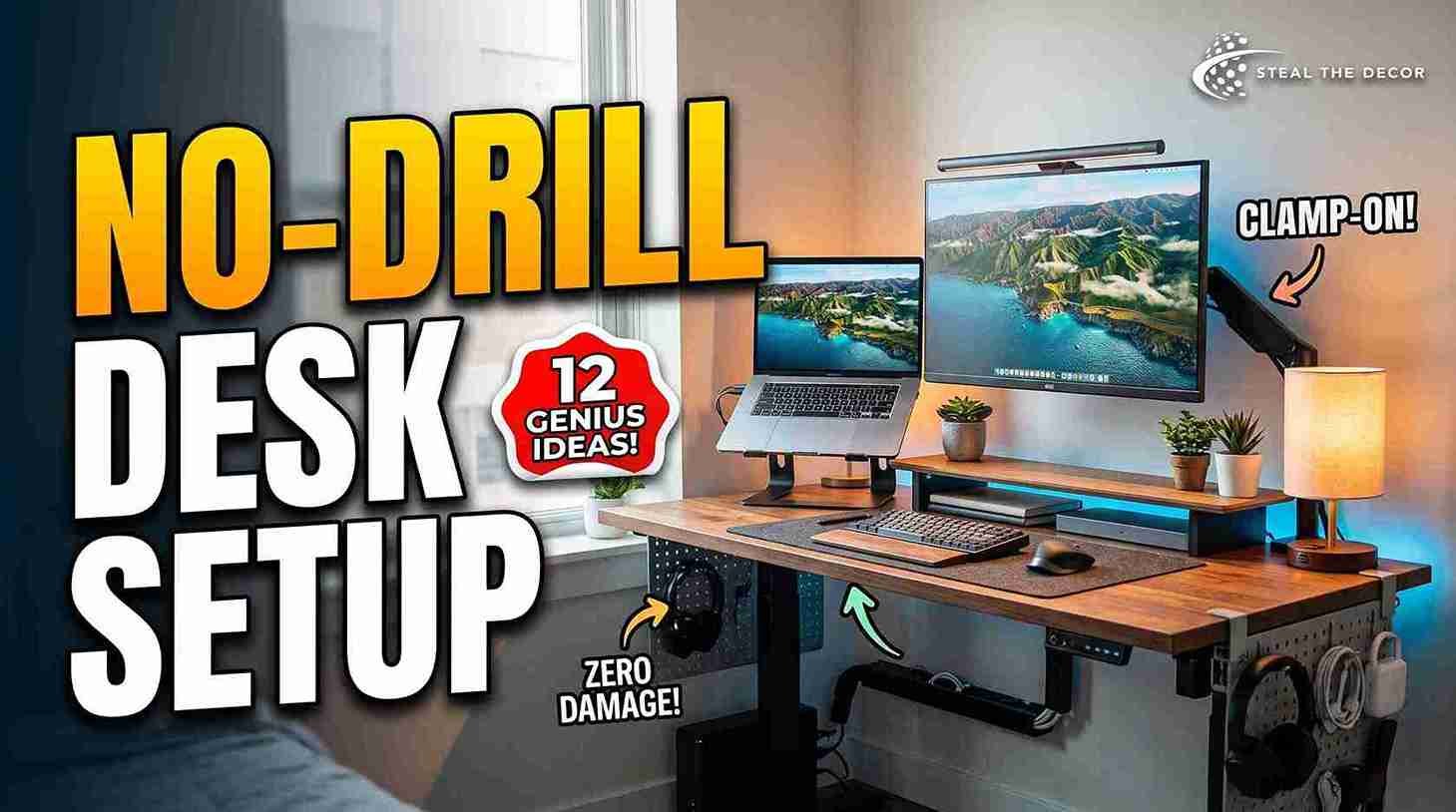
Heads up: some links in this post are affiliate links. If you buy through them, StealTheDecor may earn a small commission at no extra cost to you, and I only recommend things I have used in my own rental.
Three weeks into working from my kitchen counter my neck clicked every time I looked up from the laptop. The charger cord ran across the floor like a trip wire. My lease had one rule in bold print: no holes in the walls. I rent a small one-bedroom with one window and a landlord who checks every inch at move-out.
I wanted to build a productive desk setup that never touched the walls and still let me work eight hours without pain. Over three weekends I tested 14 products and four desk spots. Two failed and one almost cost me a patch of paint. Below you get the 12 no-drill ideas that stayed the exact steps I followed my mistakes and what the whole setup cost.
The Short Version: A productive desk setup in a rental puts the top of the monitor at or slightly below eye level keeps the elbows near a 90 degree angle and lights the desk with a side task light instead of ceiling light alone. Renters can build a productive desk setup with zero drilling by using a clamp-on monitor arm or laptop stand an adhesive cable raceway a monitor light bar and a few low-light plants.
What Is a Productive Desk Setup and Why Do Renters Need One?
A productive desk setup is a workspace arranged so your body stays comfortable and your mind stays on task for hours. It has four parts: ergonomics lighting organization and a focus desk environment with few distractions. When one part is missing you feel it fast as neck strain tired eyes or clutter that breaks your concentration.
Renters face extra limits. You usually cannot drill a shelf mount a monitor bracket or hardwire a light. When the pandemic pushed so many people to work from home plenty of renters ended up with a laptop on a dining table. I was one of them for almost a year.
A functional home office setup lowers the cognitive load of your day. You stop fighting your chair and desk and put that energy into real work.
Bottom line: a productive desk setup comes down to posture light order and focus and every one of those can be fixed without a single hole.
Can You Build a Productive Desk Setup in a Small Rental Without Drilling?
Yes you can build a productive desk setup in a small rental without drilling as long as your desk walls and outlets cooperate. Check these points before you buy anything.
This setup works if:
- Your desk top is solid wood or thick particleboard that a clamp can grip.
- Your wall paint is smooth and has cured for at least 7 days the wait time 3M gives in its Command strip instructions.
- You have an outlet near the desk so every cord stays short.
This setup does not work well when:
- Your walls have a heavy orange peel texture a bumpy spray finish that adhesive strips cannot grip fully.
- Your desk top is glass or thin hollow-core board that bends under clamp pressure.
- The desk corner gets no daylight and you have no room for a lamp.
My first apartment had no real corner for a desk. I learned how to build a temporary wall in an apartment with a bookcase and a curtain and that split my bed from my workspace.
Bottom line: check desk thickness wall texture and outlet location first and the rest of the no-drill plan gets easy.
12 Productive Desk Setup Ideas That Need Zero Drilling
The fastest way to boost productivity at a rental desk is to fix monitor height first then cables then lighting. Here are the 12 I tested ranked by impact.
1. Raise Your Screen to Eye Level With a Stand or Clamp Arm
A screen at eye level is the biggest ergonomic fix for neck strain. A laptop stand (typically $25 to $60) lifts your laptop in seconds. For a separate monitor the Ergotron LX Monitor Arm (typically $150 to $200) clamps to the back edge of the desk and never touches the wall. Ideally you sit upright with your shoulders relaxed and your eyes level with the top of the screen.
2. Try a Standing Desk Converter Before a Full Standing Desk
Standing desk productivity comes from switching positions not from standing all day. A Flexispot Standing Desk Converter (typically $120 to $250) sits on your current desk with no tools. Full Uplift Desk frames cost more. On standing desk vs sitting desk neither wins alone. In my experience standing 30 minutes every two hours helps prevent fatigue. For sitting the Branch Ergonomic Chair (typically $450 to $550) is the best ergonomic chair I have tried.
3. Set Up Dual Monitors on One Clamp Mount
A dual monitor setup cuts the time you spend flipping between windows. The VIVO Dual Monitor Desk Mount (typically $35 to $60) clamps to the desk and lifts both screens off the desktop. Pick screens with the same resolution so text does not jump in size when you slide a window across.
4. Hide Every Cable Under the Desk
A clean desk setup starts underneath the desk. The IKEA SIGNUM Cable Tray (typically $15 to $20) screws into the underside of your own desk not the wall. Add velcro ties and run one adhesive cable raceway with 3M Command Strips for the cord that drops to the outlet. Here is how I hide lamp cords in every rental.
5. Light Your Desk From the Side Not Just From Above
Good lighting for a productive workspace mixes side daylight with an LED task light near the screen. The BenQ ScreenBar (typically $100 to $140) sits on top of the monitor and runs on USB power with no clamp and no drill. A Philips Hue White Ambiance bulb (typically $20 to $50) switches to cooler white light for work hours. Most people find light around 4000K to 5000K easier for focus. If your corner has no outlet here is how I light a dark room with no outlets.
6. Use Drawers and Risers for Desk Organization
The best desk organization systems clear the desktop and keep tools within reach. The IKEA ALEX Drawer Unit (typically $100 to $140) slides under most desks and works like a small filing cabinet. My top drawer holds pens and spare cables so the desk stays clear.
7. Do a Minimalist Desk Reset Every Friday
A minimalist desk setup keeps only what you use daily. I do a five minute one-in one-out reset every Friday. My desk holds a keyboard one notebook one pen one plant and one insulated water bottle (typically $20 to $35). Keeping that bottle in the same spot reminds me to hydrate and my 3 PM headaches stopped.
8. Fit a Small Apartment Desk Into a Closet or Corner
Small apartment desk setup ideas work best when the desk fits the space. The IKEA TROTTEN Desk (typically $150 to $400 depending on size and the adjustable sit-stand version) has a slim frame that fits a corner or a shallow closet. A closet office pairs a narrow desk with a tension rod curtain so you can hide work at night.
9. Pick Desk Accessories That Save You Time
The best desk accessories for productivity cut clicks and steps from your workflow. The Logitech MX Keys keyboard (typically $100 to $120) is quiet backlit and connects to three devices. A large desk mat protects a rental desk and gives your wrist and forearm a soft surface. Keep smartphones in a drawer to stay focused.
10. Add Low-Light Plants That Calm the Space
Plants add calm and clarity to a workspace. Pothos the ZZ plant and the snake plant all handle low light near a desk. Pothos is toxic to cats and dogs according to the ASPCA so keep it out of reach if you have pets. You can find more picks in my post on low-light office plants.
11. Build a Hybrid Work Desk Around One Cable
A hybrid work desk setup lets you connect your laptop to everything with a single USB-C cable. A USB-C docking station (typically $60 to $200) links your monitors keyboard speaker and charger in one plug. On office days I unplug one cable and walk out.
12. Split One Desk Into Work and Gaming Zones
A gaming and productive desk combo works when the two modes do not share clutter. Keep the main monitor centered for work and hang the headset on an under-desk headset hook (typically $10 to $20). I use one Philips Hue scene for work and a warmer one for games.
Try this tonight: stack two thick books under your laptop and check whether the top of the screen meets your eyes. Neck relaxed? That is your first upgrade.
Bottom line: start with monitor height and cables because those two fixes change your workday the fastest.
Pro Tips for Renters:
- Put a felt furniture pad between every clamp and the desk top to stop dents.
- Test one 3M Command strip for 24 hours before you load it with cables.
- Take a dated photo of the wall before you stick anything and save it for move-out day.
- Keep every hardware bag in one labeled zip bag for move-out.
- Pull Command strip tabs slowly and straight down along the wall never out toward you.
How to Set Up a Productive Desk in a Rental Step by Step
Setting up a productive desk works best in a set order: location first then your body then your gear. I follow these 8 steps every move.
- Pick the spot and measure it. Choose a spot with side light from a window and an outlet within 6 feet. Leave about 3 feet behind the chair so you can slide out. Common mistake: putting the window behind the monitor which causes glare.
- Set your chair height. Adjust the chair so your feet rest flat and each thigh sits level with the floor. Add a footrest if your feet dangle. Common mistake: leaving feet unsupported which cuts circulation behind the knee.
- Set your keyboard height. Place the keyboard where your elbows rest near 90 degrees and each shoulder stays relaxed. Keep your wrists straight as you type. Common mistake: bending wrists up which builds forearm strain.
- Raise the monitor to eye level. Place the top of the screen at or slightly below eye level. OSHA computer workstation guidance suggests a viewing distance of 20 to 40 inches. Use a laptop stand or the Ergotron LX Monitor Arm. Common mistake: tilting the screen too far back.
- Route your cables. Bundle cables with velcro ties and lay them in the IKEA SIGNUM Cable Tray. Run one adhesive raceway to the outlet. Common mistake: sticking a raceway on paint that cured less than 7 days.
- Add task lighting. Place a BenQ ScreenBar or a desk lamp on the side opposite your writing hand. Common mistake: relying on the ceiling light alone.
- Protect the floor. Put a chair mat or low-pile rug under the chair so the wheels never scratch the floor. If your rug slides here is how to keep a rug on carpet from bunching. Common mistake: rolling a chair straight on hardwood.
- Finish and run the checklist. Add one or two low-light plants and check every item below. Common mistake: crowding the desk with decor.
Work from home desk setup checklist:
- The top of the monitor sits at or slightly below eye level.
- Your elbows rest near 90 degrees and your feet sit flat.
- No cable crosses the floor where you walk.
- A task light sits beside the screen.
- The chair rolls on a mat or rug.
- A water bottle sits within reach.
- Your phone lives in a drawer during focus blocks.
Bottom line: follow the order of spot body then gear and you skip buying things you never needed.
Common Productive Desk Setup Mistakes Renters Make
Most productive desk setup mistakes come from rushing the no-drill parts. Here is what trips most people up including me.
Sticking adhesive on fresh or textured paint. My first cable raceway pulled off a strip of paint the size of a quarter. The wall had been repainted four days before I moved in. Instead wait 7 days after painting test one strip and use an under-desk tray on textured walls.
Clamping a heavy arm on a thin desk. A monitor arm can crack a hollow or thin laminate desk top over a few weeks. Instead check the clamp range in the arm manual and add a steel reinforcement plate (typically $10 to $20).
Leaving the monitor too low. A laptop flat on a desk makes you look down all day and loads your neck. Instead raise the screen with a stand and use a separate keyboard.
Using only overhead light. Ceiling light throws glare on the screen and shadows on your hands. Instead add a side task light or a monitor light bar.
Daisy-chaining power strips. Plugging one power strip into another can overload an outlet and fire safety groups like the NFPA warn against it. Instead use one surge protector plugged straight into the wall.
Bottom line: slow down on adhesives and clamps because those are where renters lose money.
Renter-Safe Desk Products I Actually Recommend
The most useful renter-safe desk products clamp sit or stick without touching the walls. I used each of these five for at least a month in my own rental.
Flexispot Standing Desk Converter. Turns any desk into an adjustable sit-stand desk. Pro: smooth lift and a sturdy top. Con: heavy to move. Damage risk: none.
Ergotron LX Monitor Arm. Gives the best screen height control I tested. Pro: tilt and pull the screen closer in one motion. Con: price and the clamp needs a thick desk. Damage risk: none to the walls.
BenQ ScreenBar. Lights the desk from the top of the monitor without screen glare. Pro: zero setup. Con: a poor fit on curved monitors. Damage risk: none.
IKEA SIGNUM Cable Tray. Holds a power strip and cables under the desk. Pro: low price. Con: it screws into the desk so use it on a desk you own. Damage risk: none to the walls.
Logitech MX Keys. A quiet keyboard that switches between three devices. Pro: comfy keys for long typing days. Con: a flat profile some typists dislike. Damage risk: none.
| Product / Method | Price Range | Ease of Use (1 to 5) | Damage Risk | Best For | Our Rating |
|---|---|---|---|---|---|
| Flexispot Standing Desk Converter | $120 to $250 | 4/5 | None | Sit-stand work | 4/5 |
| Ergotron LX Monitor Arm | $150 to $200 | 3/5 | None | Neck strain | 5/5 |
| BenQ ScreenBar | $100 to $140 | 5/5 | None | Glare-free light | 5/5 |
| IKEA SIGNUM Cable Tray | $15 to $20 | 4/5 | None | Hidden cables | 4/5 |
| Adhesive raceway with 3M Command Strips | $15 to $30 | 4/5 | Risk of paint damage | Cord to outlet | 3/5 |
| Logitech MX Keys | $100 to $120 | 5/5 | None | Typing comfort | 5/5 |
Bottom line: if you buy one product for maximum productivity buy the one that fixes your screen height.
What Should You Check With Your Landlord Before You Start?
Check your lease and ask your landlord about adhesives power and floors before you start. I skipped this in my first rental and found out at move-out that adhesive hooks were banned in my lease. Confirm these points:
- Does the lease allow adhesive strips on painted walls?
- When were the walls last painted and with what finish?
- How many devices can one outlet safely handle?
- Are there weight limits for furniture on older floors?
- Can you add a plug-in lamp or swap a bulb?
- What does the move-out wall inspection check?
- Can you get written approval by email?
Bottom line: one email to your landlord costs nothing and can save your whole deposit.
Real Results: What My Productive Desk Setup Cost for Under $500
My full productive desk setup cost $445.92 and left zero wall damage.
- Flexispot Standing Desk Converter: $169.99
- Laptop stand: $32.99
- BenQ ScreenBar: $109.00
- IKEA SIGNUM Cable Tray: $17.99
- Adhesive cable raceway and 3M Command Strips: $24.48
- Velcro cable ties: $7.99
- Desk mat: $19.99
- Chair mat: $34.99
- ZZ plant and pot: $28.50
The converter and the ScreenBar were the most worthwhile buys. My neck pain faded in about two weeks and I stopped working from the couch. What failed was the first raceway on textured paint which fell off within two days. I moved those cables to the SIGNUM tray and never looked back.
Bottom line: a budget desk setup under $500 feels like a real office when most of the money goes to height and light.
FAQ: Productive Desk Setup for Renters
What is a productive desk setup?
A productive desk setup is a workspace arranged for comfort and focus. It places the monitor at eye level keeps elbows near 90 degrees adds side task lighting and keeps cables off the desk. In a rental every part can be built with clamps stands and freestanding pieces instead of drilling.
How do I set up a productive desk at home without drilling?
Set up a productive desk at home without drilling by raising the screen with a laptop stand or a clamp-on monitor arm hiding cables in an under-desk tray and adding a monitor light bar like the BenQ ScreenBar. Finish with a chair mat and a low-light plant. None of these pieces touch the walls.
Is a standing desk better than a sitting desk for productivity?
A standing desk is not better than a sitting desk on its own. Most people get the most benefit from switching between sitting and standing through the day. A Flexispot Standing Desk Converter lets renters test sit-stand work on an existing desk before paying for a full standing desk frame. This standing desk converter guide shows how to measure your desk before you buy one.
Will a productive desk setup damage my rental walls?
A productive desk setup built with clamps stands and under-desk trays does not touch the walls. Adhesive cable raceways are the only common risk. If a 3M Command strip leaves residue warm the spot with a hair dryer rub it off gently and follow the 3M removal instructions before pulling harder.
How much does a productive desk setup cost?
A renter-friendly productive desk setup usually costs between $200 and $500 when you already own a desk and chair. A standing desk converter and a monitor light bar take most of the budget. Cable trays velcro ties a desk mat and a plant add about $100 more in total.
What is the best brand for a renter-safe desk setup?
Ergotron is a strong brand pick for monitor arms BenQ for the ScreenBar monitor light and Flexispot for standing desk converters. IKEA covers budget desks and cable trays with the TROTTEN desk and the SIGNUM cable tray. All of these products work without drilling into rental walls.
Key Takeaways for a Productive Desk Setup in a Rental
- A productive desk setup places the top of the monitor at or slightly below eye level and keeps the elbows near a 90 degree angle.
- The Ergotron LX Monitor Arm and a simple laptop stand both raise screen height without drilling into rental walls.
- The IKEA SIGNUM Cable Tray holds cables under the desk and avoids the paint damage risk of adhesive raceways on textured walls.
- The BenQ ScreenBar lights a desk from the top of the monitor without screen glare and needs no clamp or drill.
- Low-light plants like the ZZ plant and the snake plant add calm to a home office desk with very little care.
- StealTheDecor testing shows a full no-drill productive desk setup can be built for under $500 in a rental apartment.
Your Desk Your Rules Your Deposit Intact
The two biggest wins in my productive desk setup were simple: raise the screen and get the cables off the floor. My desk now feels like a real office where I work comfortably all day and that small change did more for my well-being than I expected. I hope this helps you create a productive workspace that will inspire you too.
Have you tried a productive desk setup in your rental? What happened? Tell me in the comments.
If storage beside the desk is your next problem see how I make an IKEA Billy bookcase look built-in without touching the wall. All the products I tested and recommend are linked above. I have tried every one myself.
You do not need permission to drill to build a space that works for you.
1 thought on “Productive Desk Setup: 12 No-Drill Ideas I Tested”